As businesses grow, their IT infrastructure needs become more complex. Applications require more computing power, data volumes increase, security requirements evolve, and teams need reliable access to business-critical systems. At the same time, companies want to control infrastructure costs without sacrificing performance or flexibility.
A single hosting environment may not always meet these changing requirements. Public cloud platforms offer scalability and convenient access to managed services, while private infrastructure provides greater control over hardware, data, and configurations. Combining these environments can help businesses create an infrastructure that balances flexibility, performance, and control. This is where hybrid cloud architecture becomes valuable.
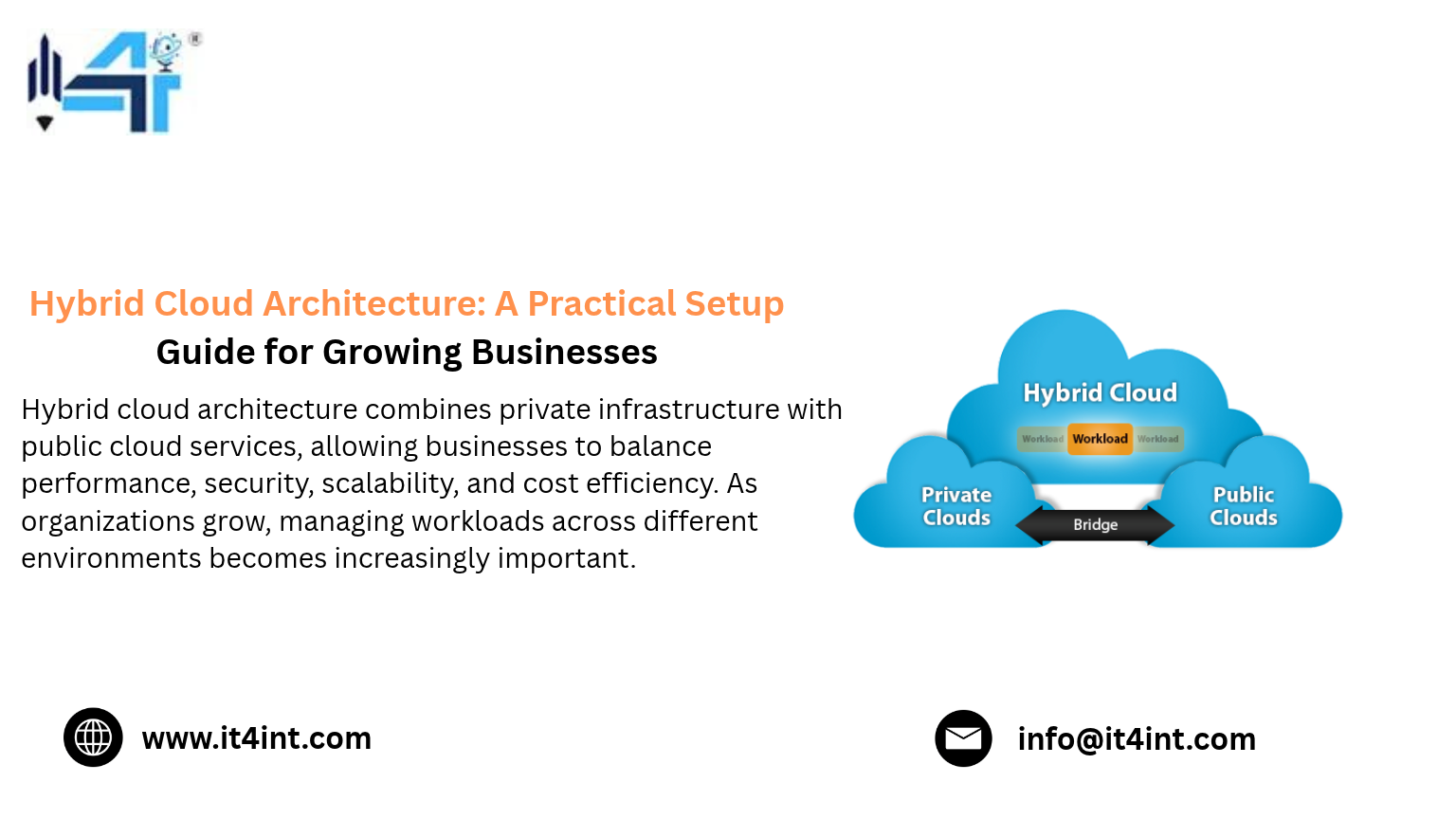
A hybrid cloud environment connects private infrastructure with public cloud resources, allowing businesses to operate workloads across both environments. Instead of moving everything to one platform, organizations can choose where applications and data should run based on their technical, operational, and financial requirements.
For growing businesses, a well-planned hybrid cloud setup can provide a practical path toward scalable IT infrastructure without requiring a complete replacement of existing systems.
In this guide, we explore how hybrid cloud architecture works, its benefits, important design considerations, and the steps businesses can follow to implement it successfully.
What Is Hybrid Cloud Architecture?
Hybrid cloud architecture is an IT infrastructure model that combines private computing resources with public cloud services in a connected environment.
The private component may include dedicated servers, privately managed infrastructure, or a private cloud environment. The public component typically uses services from cloud providers that offer on-demand computing, storage, networking, and application platforms.
These environments work together through secure networking, identity management, application integration, and data connectivity.
For example, a growing e-commerce business might use dedicated servers to host its primary database and core business applications while using public cloud resources to handle temporary traffic increases, backups, or development environments.
This arrangement gives the business more control over important workloads while retaining access to the flexibility of public cloud services.
How Does a Hybrid Cloud Environment Work?
A hybrid environment connects different infrastructure components so that applications, users, and data can interact securely.
Its main components generally include:
- Private infrastructure: Dedicated servers or private cloud resources used for workloads requiring greater control, predictable performance, or specific security configurations.
- Public cloud infrastructure: On-demand services used for scalable computing, storage, application development, and other flexible requirements.
- Network connectivity: Secure connections that allow systems in different environments to communicate.
- Identity and access management: Centralized or integrated authentication and authorization policies.
- Management and monitoring tools: Systems for tracking performance, resource usage, availability, and security across the infrastructure.
- Data integration: Processes that allow applications to access and exchange information across environments.
The objective is not simply to operate two separate hosting environments. It is to create a coordinated infrastructure where each workload runs in the environment best suited to its requirements.
VPS Server Plans
Explore IT4INT VPS server plans for reliable, high-performance hosting with fast SSD storage, Linux and Windows OS options, full root access, scalable resources, and 24/7 technical support. Choose a VPS hosting plan that fits your website, application, or business needs.
Hybrid Cloud vs. Public Cloud vs. Private Cloud
Before planning a hybrid cloud setup, businesses should understand how the three infrastructure models differ.
Public Cloud
Public cloud services provide computing resources through shared provider infrastructure. Businesses can provision virtual machines, storage, databases, and other services without purchasing and maintaining all the underlying hardware.
Public cloud is useful for:
- Applications with unpredictable traffic
- Development and testing environments
- Temporary computing requirements
- Services that need rapid resource expansion
- Businesses that prefer managed infrastructure services
However, costs can become difficult to predict when workloads consume significant computing, storage, or data-transfer resources over extended periods.
Private Cloud
A private cloud environment is dedicated to one organization. It can be hosted in an organization’s own data center or provided through an external infrastructure partner.
Private infrastructure can be useful for:
- Sensitive business information
- Applications requiring specific configurations
- Workloads with consistent resource requirements
- Systems that need greater infrastructure control
- Applications with predictable performance requirements
Businesses must still plan for capacity, maintenance, security, and infrastructure management.
Hybrid Cloud
Hybrid cloud combines private and public environments, allowing organizations to distribute workloads between them.
For example, a business could maintain its core database on dedicated infrastructure while using public cloud services for temporary application capacity.
The right model depends on workload requirements, compliance obligations, budget, technical expertise, and business growth plans.
Key Hybrid Cloud Benefits for Growing Businesses
A thoughtfully designed hybrid environment can help organizations address several infrastructure challenges.
1. Better Workload Flexibility
Not every application has the same infrastructure requirements.
Some workloads need consistent computing resources, while others experience sudden changes in demand. Hybrid infrastructure allows businesses to choose suitable environments for different applications.
A company might run its main business application on private infrastructure while deploying customer-facing services in the public cloud.
This flexibility supports better workload placement and reduces the need to force every application into one infrastructure model.
2. Improved Cost Management
Infrastructure expenses are influenced by compute usage, storage, network traffic, licensing, support, and maintenance.
Public cloud services can be convenient, but continuously running workloads may become expensive depending on resource consumption and pricing structures.
A hybrid cloud setup gives businesses the option to evaluate whether stable workloads are better suited to dedicated infrastructure while keeping variable workloads in the public cloud.
This does not automatically guarantee lower costs. Organizations should compare total operating expenses, including hardware, administration, connectivity, backup, and support.
3. Greater Infrastructure Control
Some applications require specific hardware configurations, operating environments, or network policies.
Private infrastructure gives businesses more control over these elements than many standardized public cloud services.
A hybrid model allows organizations to retain control over selected systems without giving up the scalability of public cloud resources.
4. Support for Business Growth
Growing businesses often experience changing infrastructure requirements.
A startup may initially rely on public cloud services because they are easy to provision. As its customer base expands, some workloads may become predictable enough to justify dedicated infrastructure.
Hybrid cloud architecture supports this transition by allowing businesses to expand or reorganize their infrastructure gradually.
5. More Flexible Backup and Disaster Recovery
A hybrid environment can support backup and recovery strategies across different infrastructure locations.
For example, a business may operate its primary application on private infrastructure and maintain encrypted backup copies in a separate cloud environment.
However, simply storing backups in another environment does not guarantee disaster recovery. Businesses must define recovery objectives, protect backup credentials, and regularly test restoration procedures.
6. Reduced Dependence on a Single Infrastructure Provider
A hybrid approach can help organizations avoid placing every workload and dependency within one provider’s environment.
It may also support a broader multi-cloud strategy when businesses use services from multiple cloud providers alongside private infrastructure.
However, using multiple environments increases management complexity. Organizations should adopt additional platforms only when they solve a clear business or technical requirement.
How to Plan a Hybrid Cloud Setup
Successful implementation begins with planning rather than immediately purchasing infrastructure or migrating applications.
The following steps provide a practical framework for growing businesses.
Step 1: Assess Your Existing IT Infrastructure
Start by understanding what the business currently operates.
Create an inventory of applications, databases, servers, storage systems, network connections, and third-party dependencies.
For each workload, identify:
- Current computing and memory requirements
- Storage capacity and growth trends
- Network bandwidth requirements
- Security and compliance requirements
- Application dependencies
- Availability requirements
- Current hosting and operating costs
This assessment helps identify which workloads could benefit from private infrastructure, public cloud services, or a combination of both.
Without this information, businesses risk moving applications into environments that do not match their actual requirements.
Step 2: Define Business and Technical Objectives
A hybrid cloud architecture should support specific business goals.
For example, a company may want to:
- Improve application performance
- Increase infrastructure availability
- Control recurring hosting expenses
- Protect sensitive business data
- Support seasonal traffic increases
- Improve backup and disaster recovery
- Expand infrastructure without major upfront investment
Prioritize these objectives before selecting infrastructure components.
A business focused on predictable application performance may have different requirements from one that needs rapid scaling for seasonal demand.
Step 3: Decide Which Workloads Belong Where
Workload placement is one of the most important decisions in hybrid infrastructure design.
Instead of choosing an environment based only on cost, evaluate each workload using several criteria.
Private infrastructure may be suitable for:
- Databases with predictable resource requirements
- Internal business applications
- Workloads requiring specific hardware configurations
- Applications with strict data-control requirements
- Systems that benefit from dedicated computing resources
Public cloud may be suitable for:
- Development and testing environments
- Temporary workloads
- Applications with highly variable demand
- Cloud-native managed services
- Short-term computing projects
Hybrid deployment may be suitable for:
- Applications with private databases and public-facing components
- Systems that require cloud-based backup
- Applications with a stable core and variable supporting workloads
- Businesses gradually modernizing existing applications
These are starting points, not universal rules. Actual placement should reflect application architecture, security requirements, latency, cost, and operational capabilities.
Step 4: Select the Right Private Infrastructure
The private component of your hybrid environment needs sufficient computing, storage, and networking capacity.
Depending on the workload, businesses may consider dedicated servers or a privately managed cloud environment.
Important selection factors include:
CPU and memory: Choose resources based on application performance requirements and expected growth.
Storage: Evaluate capacity, IOPS, latency, redundancy, and backup requirements.
Network connectivity: Ensure the infrastructure can communicate reliably with public cloud services and business locations.
Operating system support: Confirm compatibility with existing applications and software.
Scalability: Consider how resources can be expanded when demand increases.
For businesses that need greater hardware control or predictable computing resources, dedicated server infrastructure can form a useful foundation for the private side of a hybrid environment.
Step 5: Choose Suitable Public Cloud Services
The public cloud component should complement private infrastructure.
Identify the services that provide genuine value, such as:
- On-demand virtual machines
- Object storage
- Managed databases
- Application development platforms
- Backup and recovery services
- Content delivery services
- Temporary computing capacity
Avoid adopting services simply because they are available. Every component should have a clear purpose, ownership, and cost-management process.
Step 6: Establish Secure Network Connectivity
Private and public environments need reliable communication.
Depending on the architecture, businesses may use site-to-site VPN connections, private connectivity services, encrypted tunnels, or other secure networking options.
Network planning should address:
- Encryption for data in transit
- Firewall rules and network segmentation
- IP addressing and routing
- DNS configuration
- Bandwidth requirements
- Latency between environments
- Redundant connectivity where required
Applications that exchange large amounts of data between environments may experience performance problems if connectivity is not designed carefully.
Whenever possible, keep closely connected application components within the same environment to reduce unnecessary cross-platform traffic.
Step 7: Implement Identity and Access Management
A hybrid cloud environment creates multiple infrastructure access points.
Without consistent identity and access policies, organizations may struggle to control who can access servers, applications, databases, and cloud resources.
Establish:
- Centralized identity management where practical
- Multi-factor authentication
- Role-based access controls
- Least-privilege permissions
- Secure administrative access
- Regular access reviews
- Logging of privileged activities
Use separate administrative accounts and restrict direct public access to management interfaces.
Security should be designed into the architecture from the beginning rather than added after deployment.
Step 8: Create a Unified Monitoring Strategy
Monitoring systems across different environments can be challenging.
Businesses need visibility into application performance, server health, network activity, storage usage, and infrastructure costs.
A practical monitoring setup should track:
- CPU and memory utilization
- Storage capacity and performance
- Application response times
- Network latency and availability
- Server uptime
- Security events
- Backup completion status
- Cloud resource consumption
Where possible, use centralized dashboards and consistent alerting policies.
This allows technical teams to identify problems across the entire infrastructure rather than investigating each environment separately.
Step 9: Test Before Moving Production Workloads
Do not migrate every application at once.
Start with a non-critical workload or a controlled pilot project.
Test application connectivity, performance, authentication, backup procedures, monitoring, and recovery processes.
Once the pilot is stable, document lessons learned and expand the deployment in phases.
A gradual migration reduces operational risk and gives teams time to develop the skills needed to manage the new architecture.
Hybrid Cloud Architecture: A Practical Example
Consider a growing SaaS company that operates a business application used by customers in different regions.
Initially, the company hosts everything in a public cloud environment. As its customer base grows, database usage becomes more predictable, and infrastructure expenses require closer management.
The company decides to adopt a hybrid architecture.
Its infrastructure could be organized as follows:
Private infrastructure:
- Primary application database
- Internal business systems
- Workloads requiring consistent computing resources
- Selected data-processing services
Public cloud infrastructure:
- Development and testing environments
- Temporary application capacity
- Object storage for selected backups
- Cloud-based monitoring or managed services
Shared infrastructure services:
- Secure network connectivity
- Identity and access management
- Centralized monitoring
- Backup policies
- Security logging
In this arrangement, the company can retain control over selected core systems while using public cloud services where flexibility is more important.
The architecture should be reviewed regularly because application requirements, customer demand, and infrastructure costs can change over time.
Common Hybrid Cloud Challenges and How to Address Them
Although hybrid infrastructure offers flexibility, it introduces additional design and management responsibilities.
1. Increased Management Complexity
Operating private and public infrastructure requires teams to manage different platforms, tools, and processes.
Solution: Standardize deployment procedures, monitoring, documentation, and access management wherever possible. Assign clear ownership for each infrastructure component.
2. Data Synchronization Problems
Applications that depend on data across different environments may encounter synchronization delays or consistency issues.
Solution: Define which system is the source of truth for each dataset. Select appropriate integration methods and test synchronization behavior under realistic workloads.
3. Unexpected Network Costs
Frequent data transfers between private and public environments may create additional network expenses.
Solution: Evaluate data-transfer patterns before deployment. Place closely connected application components together and monitor cross-environment traffic.
4. Security Gaps
Different infrastructure platforms may have inconsistent security configurations.
Solution: Establish common security standards for authentication, encryption, access control, logging, patching, and vulnerability management.
5. Skills and Operational Requirements
Hybrid environments require knowledge of networking, server administration, cloud platforms, automation, and security.
Solution: Invest in staff training, create operational documentation, and use managed infrastructure support when internal resources are limited.
Hybrid Cloud vs. Multi-Cloud Strategy: Understanding the Difference
Hybrid cloud and multi-cloud are related but different infrastructure approaches.
A hybrid cloud strategy combines private infrastructure with public cloud resources.
A multi-cloud strategy uses services from two or more public cloud providers. An organization may also combine multi-cloud services with private infrastructure, creating an environment that is both hybrid and multi-cloud.
For example, a business could host its primary database on dedicated servers, use one public cloud provider for application development, and use another provider for a specific managed service.
Multi-cloud adoption can reduce dependence on a single provider or provide access to specialized services. However, it also increases complexity around security, networking, billing, monitoring, and operations.
Growing businesses should generally begin with the simplest architecture that meets their requirements. Additional providers should be introduced when there is a measurable technical or commercial benefit.
Best Practices for Building a Scalable Hybrid Cloud Architecture
To make a hybrid environment sustainable as the business grows, follow these best practices:
- Design around workloads: Choose infrastructure based on application requirements rather than technology trends.
- Plan for future capacity: Account for expected increases in computing, memory, storage, and bandwidth.
- Automate repetitive operations: Use automation for provisioning, configuration management, patching, and deployment where appropriate.
- Maintain consistent security policies: Apply access controls, encryption, monitoring, and vulnerability management across environments.
- Track total infrastructure costs: Include hardware, cloud consumption, licensing, administration, networking, and support.
- Test disaster recovery: Regularly verify that critical systems and data can be restored within business recovery targets.
- Review workload placement: Reassess infrastructure decisions as application usage and business requirements change.
- Document the architecture: Maintain accurate records of systems, dependencies, network connections, and operational procedures.
A hybrid cloud environment should evolve alongside the business rather than remain fixed after its initial deployment.
Conclusion: Build an Infrastructure That Grows With Your Business
Hybrid cloud architecture provides growing businesses with a practical way to combine the control of private infrastructure with the flexibility of public cloud services.
By carefully planning workload placement, connectivity, security, monitoring, and costs, organizations can build an environment that supports changing business requirements without relying entirely on one infrastructure model.
The most effective hybrid cloud setup is not necessarily the largest or most complicated. It is the one that places each workload in the right environment, provides reliable performance, and remains manageable as the organization expands.
For businesses evaluating private infrastructure as part of a hybrid strategy, dedicated servers can provide a foundation for workloads that benefit from predictable resources and greater hardware control.
IT4INT Server can be a starting point for exploring infrastructure options that align with your organization’s performance, scalability, and hosting requirements.
Read more: Cloud Repatriation: Why Companies Are Moving Workloads Back to Dedicated Servers